It’s a fairly common problem: after tracking your time against a couple different projects, you realize that you’d like to consolidate those projects into a single one. Until now, Syncd has not provided an easy solution for this problem, which used to require reassigning all your time entries from one project to the other before deleting one.
We’ve just added a more straightforward solution: the ability to merge data in a single step. Merging is available for the following data types:
- Clients, projects and tasks
- Activities
- Billing rates
- Expense categories
- Payment methods
- User groups
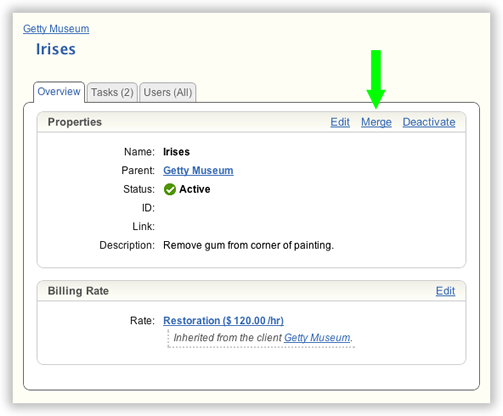
Look for Merge links in your account’s Manage pages. For instance, the Merge link for a project is highlighted below:
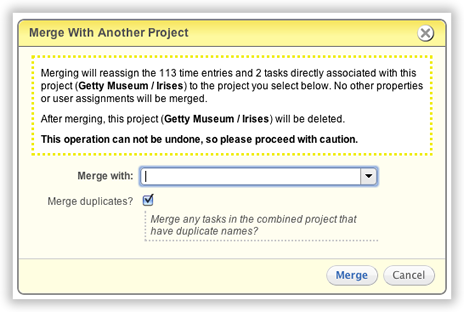
Merging works a little differently for each data type, so we spell out exactly what will happen beforehand:
We hope that the new merge feature helps you keep your data organized and clutter-free.